

Affordable Home Office Setup for Beginners on a Budget
This guide covers everything beginners need to set up a functional home office on a tight budget, from essential furniture to workspace organization. You’ll discover practical, affordable solutions that help you stay productive without breaking the bank.
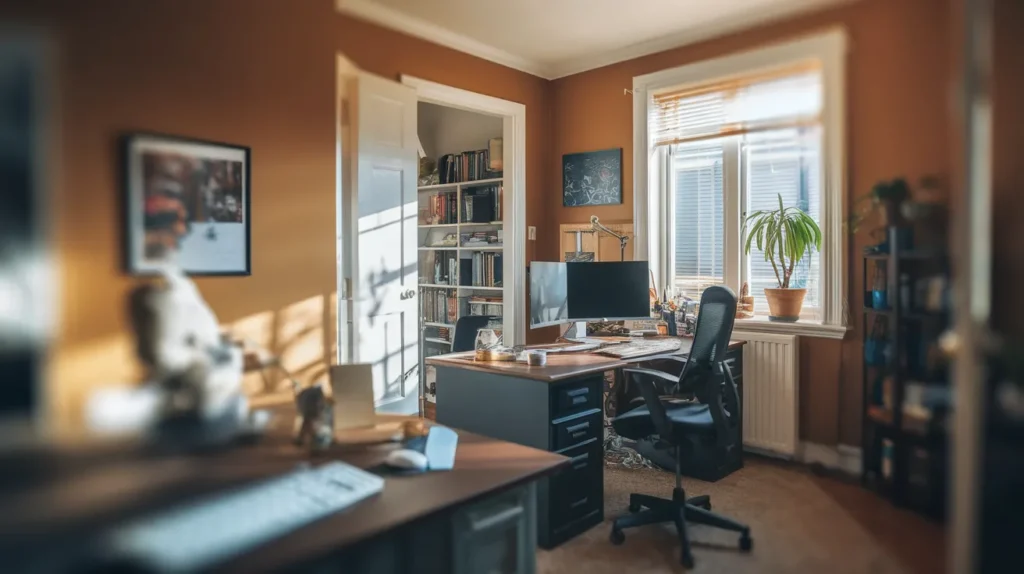
Creating the best affordable home office setup for beginners means choosing furniture and tools that let you work without pain or distraction. The most important thing you need to know is that your chair and desk height matter more than any other purchase you will make.
Most people assume they need to spend at least a thousand dollars to get a proper home office. This is wrong because the expensive standing desks and mesh chairs that cost hundreds of dollars do not automatically make you more productive or comfortable. A basic desk at the right height and a used office chair with lumbar support will serve you better than premium gear set up incorrectly.
Your desk needs to match your body, not your budget
The desk forms the foundation of your workspace. When you sit with your feet flat on the floor, your elbows should bend at ninety degrees when your hands rest on the desk surface. This position keeps your shoulders relaxed and prevents neck strain.
A simple rectangular desk measuring 48 inches wide and 24 inches deep gives you enough room for a monitor and keyboard. You can find these for under one hundred fifty dollars at office supply stores or even less on resale sites. Avoid glass desks because they show every fingerprint and create glare.
The height matters more than the material or brand. Standard desks sit at 29 inches tall, which works for people between 5’8″ and 6’0″. Shorter or taller people need adjustments. You can raise a desk with bed risers from a hardware store for ten dollars. Lowering a desk takes more work, so measure before you buy.
The best affordable home office setup for beginners starts with a chair that supports your lower back
Your chair will make or break your comfort during long work sessions. The backrest should support the natural curve in your lower spine. This small curve prevents you from slouching forward and straining your neck.
Search for used office chairs from companies that closed or moved. These chairs originally cost three to five hundred dollars but sell for fifty to one hundred dollars used. Look for brands like Steelcase, Herman Miller, or HON. Check that the seat foam still has bounce and the hydraulic lift still works.
The seat should let you place both feet flat on the floor with your thighs parallel to the ground. Your knees should bend at ninety degrees or slightly more. A seat that is too high cuts off circulation to your legs. A seat that is too low puts pressure on your tailbone.
Armrests help only when they let your shoulders hang naturally. Many armrests force your shoulders up or out to the sides. You can work just fine without armrests at all.
Position your monitor to save your neck from pain
Your monitor should sit at arm’s length away from your face. The top of the screen should align with your eye level or slightly below it. This position keeps your neck straight instead of tilted up or down.
Most monitors come with stands that sit too low. You need to raise the screen using a monitor arm or a simple stand. A stack of textbooks works perfectly well and costs nothing. Purpose-built monitor stands cost twenty to forty dollars.
Laptop screens always sit too low when placed flat on a desk. You need a laptop stand that tilts the screen up to eye level. These stands cost fifteen to thirty dollars. You will also need a separate keyboard and mouse since you cannot type comfortably on a raised laptop.
Lighting prevents eye strain and headaches
Overhead lights create glare on your screen and cast shadows on your keyboard. You need a desk lamp that sits to the side of your workspace. The light should point at your desk surface, not at your face or screen.
LED desk lamps with adjustable arms give you control over where the light falls. These cost twenty five to fifty dollars and last for years. Choose a lamp with a warm white color temperature around 3000K. Cool blue light makes some people feel alert but causes eye fatigue over time.
Natural light from a window helps your mood and energy. Place your desk perpendicular to the window so light comes from the side. Facing the window creates glare. Sitting with your back to the window puts your screen in shadow.
Basic equipment covers all your actual needs
A keyboard and mouse let you work faster than a laptop trackpad. You do not need wireless models or gaming gear. Wired keyboards and mice cost fifteen to twenty five dollars and never need charging.
Choose a keyboard without extra features or angled designs. A flat rectangular keyboard with standard key spacing works best for most people. Your wrists should stay straight while typing, not bent up or to the sides.
A mouse should fit your hand size and let your wrist rest flat on the desk. Test mice at a store before buying if possible. What feels comfortable for someone else might cramp your hand after an hour of use.
Headphones block out household noise and improve audio quality for video calls. Over-ear headphones with padded cushions cost thirty to sixty dollars. These distribute pressure across your head instead of jamming into your ear canals like earbuds.
Internet speed matters more than your computer specs
Video calls and cloud software need stable internet more than they need a powerful computer. Most work happens in a web browser or simple applications that run fine on a five-year-old laptop.
Test your internet speed at different times of day. You need at least 10 Mbps download and 3 Mbps upload for video calls. Speeds below this threshold cause frozen screens and dropped audio.
A wired ethernet connection works better than WiFi for video calls. Ethernet cables cost ten dollars and plug directly from your router to your computer. This small change fixes most connection problems.
Cable management keeps your space clean and safe
Loose cables create visual clutter and trip hazards. Group cables together using velcro ties or binder clips. These cost a few dollars and keep cords from tangling.
Power strips with six outlets handle all your devices and cost fifteen dollars. Place the power strip on top of your desk or mounted underneath. Avoid running power strips along the floor where you walk.
Route cables along the back edge of your desk or down a desk leg. This path keeps cables out of your workspace and away from your feet. Use adhesive cable clips to hold them in place.
Organization systems prevent lost files and missed deadlines
Paper documents still exist even in digital work. A simple filing system with labeled folders keeps contracts and receipts organized. You can set this up with a cardboard file box for under fifteen dollars.
Desktop organizers hold pens, notepads, and other small items. A cup or small tray works just as well as specialized desk organizers. The goal is to keep items you use daily within reach but not scattered across your workspace.
Digital organization matters too. Create folders on your computer for different projects or clients. Name files clearly so you can find them later. A system you actually use beats a complex system you ignore.
Temperature and air quality affect your focus
Cold hands make typing uncomfortable. Warm rooms make you sleepy. The best temperature for focused work sits between 68 and 72 degrees Fahrenheit.
A small space heater costs thirty to fifty dollars and warms your immediate area without heating the whole house. Point it at your feet rather than your face.
Stuffy air makes you tired and gives you headaches. Open a window slightly or run a small fan to keep air moving. Fresh air helps more than most people realize.
Building the best affordable home office setup for beginners takes less money than time
You can create a functional workspace for under four hundred dollars total. This budget covers a desk, used office chair, monitor stand, desk lamp, keyboard, mouse, and basic accessories.
Prioritize the items you use most. Your chair and desk come first because you touch them constantly. Lighting comes next because eye strain builds slowly. Accessories like cable management can wait until later.
Buy used furniture and new electronics. Used desks and chairs work perfectly well and cost half the retail price. New keyboards and mice ensure you get working equipment with full functionality.
Your workspace will evolve as you learn what bothers you. Some people need total silence. Others work fine with background noise. Some need their desk facing a wall. Others want to see the whole room. Start simple and adjust based on real problems, not imagined ones.
The best affordable home office setup for beginners focuses on three things: correct furniture height, proper monitor position, and good lighting. Everything else is secondary. Get these three right and you will work comfortably for years.
Measure your current desk and chair height against your body dimensions today, then adjust one thing that feels wrong.
Frequently Asked Questions
What is the minimum budget needed for a home office?
You need at least two hundred fifty dollars for a basic desk and used office chair. Add another one hundred fifty dollars for a monitor stand, lamp, keyboard, and mouse. This covers everything required for comfortable work.
Can I use a kitchen table as a desk?
Kitchen tables work fine for short periods but usually sit too high for all-day computer work. Measure the table height and test whether your elbows bend at ninety degrees when typing. Add a cushion to raise your seat if needed.
Should I buy a standing desk as a beginner?
Standing desks cost three to five times more than regular desks and require practice to use correctly. Start with a regular desk and add a standing desk converter later if you want to stand occasionally.
How much desk space do I actually need?
A 48-inch wide desk gives you room for a monitor, keyboard, and notebook. You can work on a 36-inch desk but feel cramped. Anything larger than 60 inches usually wastes space unless you use dual monitors.
What should I do about noise from other people at home?
Close your door and use over-ear headphones to block voices and household sounds. White noise or quiet instrumental music masks intermittent noises better than silence. Schedule calls during quieter times when possible.